
Get one
Ready-made LibrePads aren’t for sale yet. Leave your email and we’ll write when they are.
All proceeds go to fund the next project.
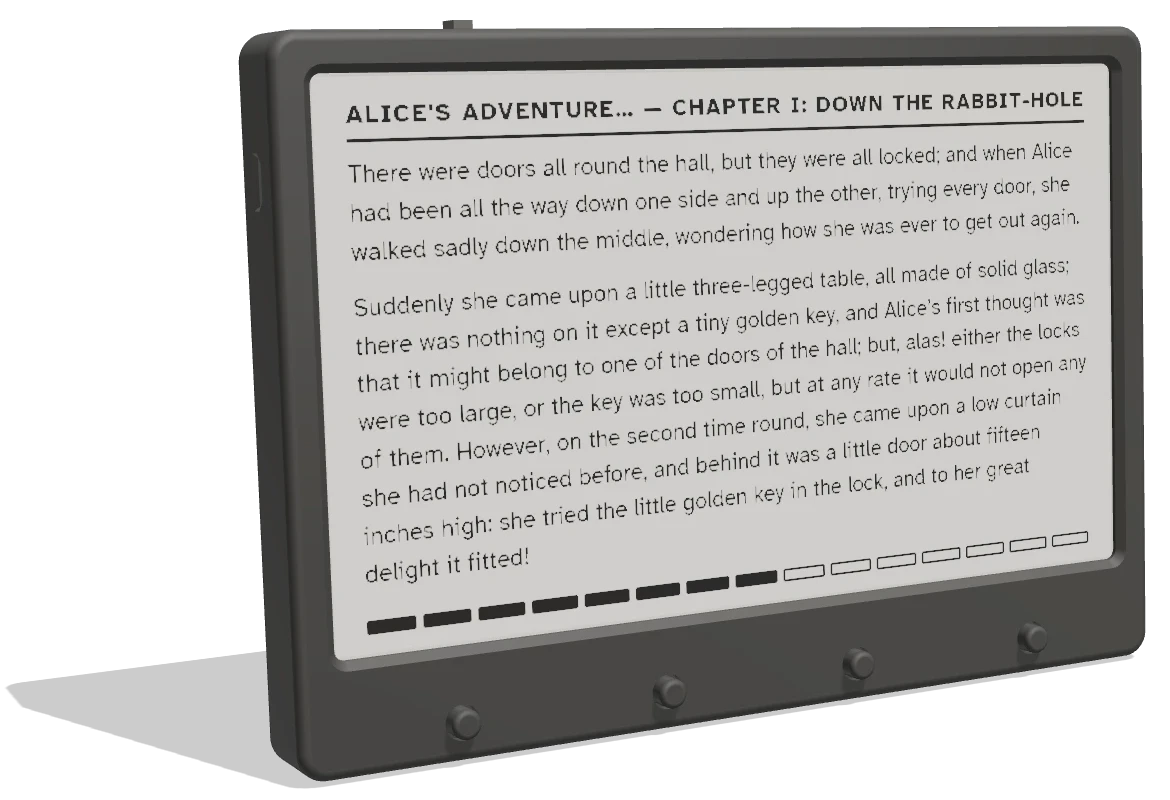
LibrePad is an open-source e-paper reader with a few questions after every chapter. Children check what they understood, and you see how it went. No ads, no apps, no browser: just the book.
Why it works
A child can finish a chapter and still miss what happened. A few questions right away, while the story is fresh, turn reading into a small conversation.
A few questions, four answers each, one button per answer. A Quiz Time page comes first, so it is never a surprise, and it can always be skipped.
Right or wrong, the page says why, and shows the right answer. A wrong answer is just a chance to learn.
Any finished quiz can be taken again for practice. The score stays the first try’s, so you can see where a child started. Only the Library can reset it.
E-paper has no backlight, no glare and no notifications. The reader can’t browse, play games or buzz. It only reads.
How adults can help
You don’t have to teach anything. You just notice, and ask.
In the Library
Every book shows its reading grade and content notes, such as language, violence and themes. Sort the easiest first. You decide what suits your child.
On the reader
Big, clear pages and four buttons. A child reads at their own pace, with nothing else on the screen.
On the reader
At the end of each chapter, a few questions. Four answers, four buttons, and after each one a short explanation.
In the Library
See each chapter’s score and which quizzes are done. Pick a tricky one and talk it over: what did the chapter say? Then take the quiz again, for practice.
Try it
These are real pages from the reader. Press its buttons to go through a chapter, its quiz and its score.
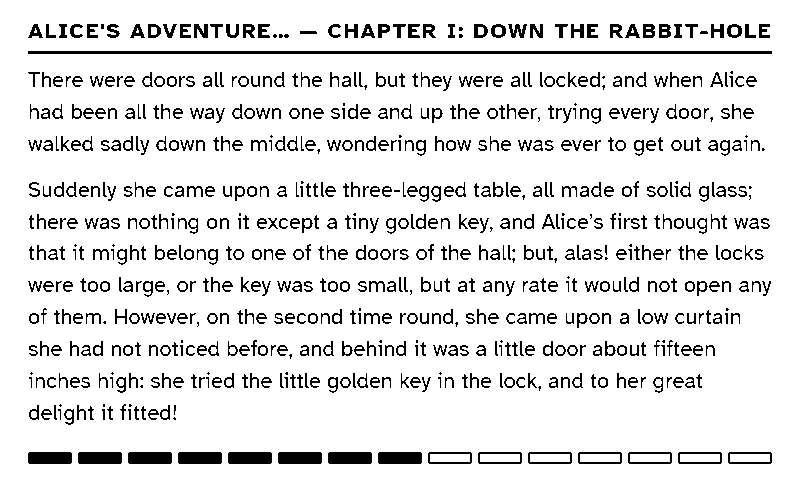
Reading. Previous page and Next page turn pages; the outer buttons jump a chapter.
The buttons on the picture step through the screens in order.
On the real reader, the Quiz Time page comes at the end of every chapter.
The shelf
Children’s classics from Project Gutenberg, set in large, clear type. Every book names its author and is in the public domain.
And fairy tales, adventure stories, animal tales and more. Every book shows its reading grade, its chapters and how many questions it has.
Questions
It depends on the child, not the age. Every book shows its reading grade in the Library, so you can pick one that fits, and sort the easiest first. The quiz can be skipped at any time.
No. The reader never goes online. A phone or computer sends it books over Bluetooth, and it keeps them. An account is only for the Library, where the books and scores live. Accounts are by invitation while we get ready to open it to everyone.
They are public-domain children’s classics from Project Gutenberg, made into LibrePad books by our open-source converter. The bookshelf is by invitation while we get ready to open it to everyone. The converter and the shelf are being prepared for release, so you’ll be able to make your own books or run your own shelf.
A few per chapter, written by AI and checked one question at a time. A person reviews every book before it goes on the shelf. Teachers who help us check questions make them better: see “Teach with us” below.
Building one costs the price of the parts, which are listed in the build guide. Ready-made LibrePads aren’t for sale yet: join the waitlist and we’ll write when they are. All proceeds go to fund the next project.
That’s the plan, and it’s under way. The firmware, the Library app, the book converter, the wiring and the case are being prepared for release on GitHub, Onshape and Flux. We’ll announce it here.
Write to support@librepad.app. We’ll take your address off the list, or delete your account and its scores. Here is what we keep.
Open by default
The firmware, the Library app, the book converter, the wiring and the case are being prepared for release, so anyone can build, improve and teach with LibrePad. The parts list is already in the build guide.
The reader’s firmware, the Library app, the book converter and the wiring diagram.
Coming soonThe case in 3D, ready to print as it is or to change.
Coming soonThe circuit board and its Gerber files, for having boards made.
Coming soonJoin in
Pick the one that fits. You can do more than one.
Ready-made LibrePads aren’t for sale yet. Leave your email and we’ll write when they are.
All proceeds go to fund the next project.
Make a LibrePad at home, for yourself or for a child: ten steps, a few wires to solder and a 3D-printed case. Everything is on one page.
You’ll need a soldering iron, a multimeter, and a 3D printer or a printing service.
The books come from the Library, which is by invitation while we get ready to open it to everyone.
Help make the shelf better. Tell us how you’d like to help, and we’ll write when the community opens.